
Blog Articles

7 .art domains to inspire your clients
The .art extension has been adopted by creatives and artistic institutions worldwide who want to create a memorable digital presence and first impression that clarifies their purpose. Today, we’re celebrating World Art Day, and human creativity more broadly, by showcasing some awesome .art websites. We hope they inspire you and your creative clients. Anshin.art Anatoliy […]

Why sell domains? Explore the hidden benefits for service providers
Whether running a freelance web dev business or launching the next big site-builder, domain names can be key in generating long-term revenue and enhancing the customer experience. However, some benefits of offering domains might not be immediately apparent. Let’s look at how adding domains to your service lineup, whether as part of a subscription model […]

Your guide to launching a successful web development business
Are you a tech enthusiast ready to dive into the entrepreneurial pool and launch your web development business? With the digital landscape expanding rapidly, there’s no better time to embark on this journey. Whether you aspire to be the next big full-service solution provider or want to start small and grow steadily, this blog will […]

ICANN79 recap
ICANN79 was held in beautiful Puerto Rico, where the windowless, extremely air-conditioned conference center provided sometimes-welcome relief from the bright sun, heat, and humidity of San Juan. The sessions covered a broad variety of policy and operational topics, and we’ll look at a few of these below. DNS Abuse Amendments The Amendments to the Registrar […]
Mono Solutions is simplifying sales and site-building for digital service providers
Denmark-based Mono Solutions is a white-label website-building platform for businesses that sell and build websites at scale. Their customer base consists of digital marketing agencies, online directories, telcos, and hosting companies that want to streamline their sales and site-building lifecycle while fostering great relationships with small and midsize business (SMB) clients. Since launching in 2007, […]

12 link-in-bio TLDs that will make your customers stand out from the crowd
In the world of online marketing and brand presence, the link-in-bio space has become coveted digital real estate where your customers can consolidate their online presence into a singular, memorable URL. Attention spans are short, and having a clear and concise domain name leads users directly to a curated collection of links, making it easier […]

Tiered Access update: RDRS first experiences and updated statistics
The first Tiered Access post of the year is always interesting because we can look back at the past year as a whole and compare it to previous years. This time, we also have the earliest data about requests submitted to Tucows via ICANN’s new Registration Data Request Service (RDRS). This is the pilot project […]

Decentralized social media: an untapped opportunity for digital service providers
A vast and growing group of creatives and influencers rely almost exclusively on social media to connect with their audience and, in many cases, monetize their work. They may differ from traditional business owners selling products and services via a website. Still, nonetheless, to digital service providers, they are potential customers in need of a […]

Boosting profits and loyalty: The power of affordable, high-quality TLDs
With over 700 top-level domains (TLDs) to choose from, it’s no wonder you might struggle to determine which will resonate most with your customers. If you’ve been avoiding addressing the challenge head-on, we have some tips to help you give your customers what they want while elevating your business.
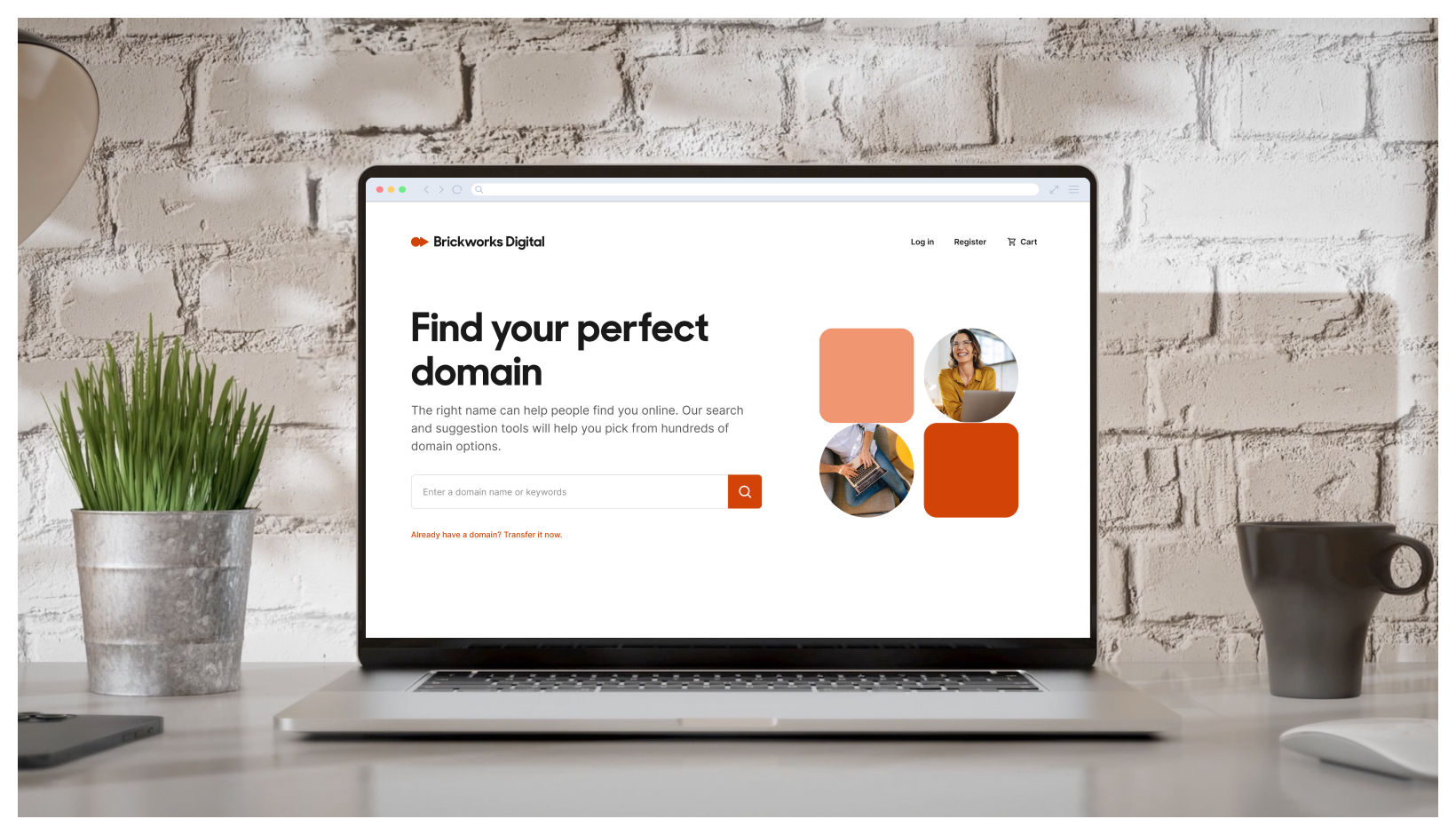
Storefront: what it is and who it’s for
We just launched Storefront, a turnkey solution that lets you sell domains right from your website and give customers a means to self-manage their accounts. It’s now available for free to all OpenSRS reseller partners—no integration work required. Storefront was designed to meet the needs of agencies, hosting companies, and digital solutions providers who want […]

Digital security: understanding the importance of encryption, data sovereignty and certificate lifecycle management
In our rapidly evolving digital landscape, where connectivity is the heartbeat of modern society, the importance of robust security measures cannot be overstated. This article explores three critical aspects that contribute to a secure and interconnected world: the value of encryption, the concept of data sovereignty, and the significance of certificate lifecycle management advantages. The […]

ICANN78 Recap: DNS Abuse, registration data, new gTLDs, and Transfer Policy updates
Hamburg is beautiful this time of year: cold and rainy enough that ICANN78 attendees didn’t mind being cooped up inside for meetings, with clear warm stretches that allowed for a bit of sightseeing. If I’m being completely honest, my personal highlight was visiting the Miniature Wonderland, but I was also glad to take part in […]
Tiered Access update: “urgent” disclosure requests and updated statistics
Welcome back to our regular Tiered Access platform statistics series! If you’re here just for the numbers, you can jump right to the stats, but first, we’re going to focus on the question of “urgent” disclosure requests. The discussions in our last few TACO Stats posts focused on the Registration Data Request Service, intended to […]

Why you should offer low-cost email as a value-added service
If you run a web hosting company, e-commerce solution, or website builder, you probably know how important it is to offer a complete package to your customers. As a one-stop shop, you can streamline the user experience, increase customer loyalty, and decrease the odds that your customers will buy from one of your competitors. One […]

ICANN77 Recap: DNS Abuse, Registration Data, new gTLDs, and more
ICANN77 brought the community to Washington DC for a four-day policy-focused meeting. While the remote participation services continue to be robust and accessible, in-person participation has a certain special something, and I was grateful for the ability to attend in my physical form. Let’s take a look at some of the policy updates coming out […]
Tiered Access update: centralized system development, and updated statistics
Our most recent Tiered Access update introduced the ICANN Community’s pilot project for a central intake point for registration data disclosure requests. Now called the Registration Data Request Service (RDRS), this pilot is intended to help gather volume data to inform the ICANN Board’s decision about building a permanent, more feature-rich centralized data request system. The project […]

Tapping into the new creator economy with .bio
The creator ecosystem is experiencing a period of dramatic change. Creators and influencers are rapidly re-writing the world of branding, e-commerce, and entrepreneurship. For those in the business of helping individuals establish an online presence, this shift presents a major opportunity worth pursuing. The state of the creator economy Remember when Instagram was for sharing […]

Help businesses get .Online
From singing lessons to printing, there’s no shortage of products and services people are searching for online. The convenience these online service providers offer has fundamentally changed consumer behavior. While the pandemic may have familiarized most of us with work and school from home, the popularity of online services like meditation apps and skill share […]

ICANN76 recap
The ICANN76 conference in Cancun wrapped up on March 16 and, while the setting might seem odd for a conference on policy and internet governance, it was a productive few days. In her opening remarks, ICANN Board Chair Tripti Sinha spoke about this time as an “inflection point.” ICANN’s role in managing the domain name […]
Tiered Access update: policy check-in and updated statistics
Tucows launched our Tiered Access Compliance and Operations (TACO) platform nearly five years ago in May 2018. Since then, we’ve processed thousands of disclosure requests, supported hundreds of requestors with their legitimate needs for the disclosure of domain registration data, and made ongoing improvements to our TACO platform (the most recent of which are discussed […]

The Creator Economy Needs Domains Now. Here’s What You Need to Know.
Social media and its myriad platforms have created a new world of opportunity for creators. With approximately 50 million people all over the world creating online video content, the “Creator Economy” is a force to be reckoned with. From Instagram influencers to Twitch streamers, and TikTok stars to YouTube content creators, this diverse collection of […]

India’s Digital Personal Data Protection Bill: what domain resellers need to know
India has drafted a new Digital Personal Data Protection (DPDP) Bill, which, once passed, would legislate greater personal data protections for individuals while providing organizations with rules for how to lawfully process personal data. Public comments closed in early 2023, and we expect it to be approved without significant changes from the final draft. Tucows […]
Standing out in the website builder space: an interview with AI-powered Bookmark
The website builder and e-commerce spaces are crowded. Finding success means finding a way to stand out, and there are different approaches you can take to do so. Some do it by going local and offering a really personalized touch, some by meeting the specific needs of a niche customer group, and others by delivering […]

TACO Platform updates
We are very pleased to announce several updates to the Tucows TACO Platform: Domain registration data lookups are now automatically disclosed to the domain owner, simultaneously with the data being provided to the requestor; TACO users can view their own account information; TACO users can report inaccurate data directly through the lookup results page; Finally, […]

What do domain status codes mean?
When you do a Whois lookup on a domain, the results include a lot of information. It’ll look something like the image below. Most of the fields are pretty self-explanatory, but the meaning of the “Domain Status” field values isn’t always so clear. In this post, we’ll explain what the various status codes mean, so […]

Three reasons for your e-commerce clients to build a brand with .store
The global e-commerce industry has never been bigger. And eMarketer’s global forecast of $5.5 trillion in retail e-commerce sales for 2022 is a testament to this fact. This boost in e-commerce may have started as the COVID-19 pandemic forced buyers and sellers to change their behaviors, but the USA’s International Trade Commission predicts that the […]

ICANN75 recap
I had intended to participate remotely in ICANN75, as I did for the past few ICANN conferences, but these plans were disrupted as I was called for jury duty and unable to attend most of the sessions. This blog post is thus gratefully dedicated to our RrSG Secretariat and the several RrSG members who provided […]

Tiered Access update and thoughts on due process
We disclose data through TACO on a regular basis to people who have proven a “legitimate interest” (these are the requirements of GDPR). There is another way, however, to get access to the data that Tucows holds; adequate due process. Recent events in the news have underscored that due process is one of the most […]

ICANN74 recap
If we’ve known each other or worked together for any significant period of time, you know that I have a strong sense of FOMOW—fear of missing out on work. The hybrid-format ICANN74 meeting simultaneously eased and exacerbated those feelings. I was so glad to be able to participate in sessions remotely but found myself longing […]

Targeting content creators with .blog
There are millions of individuals, businesses, and organizations that provide regular content to their audiences. For some, content — be it workshops, courses, or paid subscriptions — is the core of their business. For others, it’s a means to strengthen their brand presence and win potential customers by providing real upfront value that welcomes them […]
SAN vs. wildcard certificates – what’s the difference?
OpenSRS offers an impressive lineup of SSL certificate products. We’ve received a few queries about Subject Alternative Name (SAN) certificates and how they differ from wildcard certs. With that in mind, we’ve put together a quick reference guide here. Let’s start with a basic look at both wildcard and SAN certs. What is a SAN […]

5 ways to help small businesses find their perfect domain name
This post was written by Tasmiya Sayed, Sr. Content Marketing & Communication Associate at Radix, the registry behind some of the most successful new domain extensions, including .online and .tech. You can connect with her on LinkedIn. The domain name is an essential part of any brand’s online identity, whether it’s a store, a company […]
20i.com on how to build a successful hosting business
Jonathan and Tim Brealey are somewhat of a legend in the domains and hosting industry. The duo founded UK-based registrar, 123-reg, back in 2000, launched Heart Internet in 2004, and, in 2016, began 20i.com, which in five short years has grown into one of the leading hosting providers in the UK. We had the opportunity […]

Reasonably priced, easy-to-offer TLDs for unique customer niches
New TLDs offer website owners two big benefits: they clearly indicate the purpose of the website to visitors (and Google’s search engine!), and there are still tons of short, memorable domain names available. Website owners can choose from hundreds of TLDs beyond the classic .COM, .NET and .ORG, and while you don’t need to offer […]

How to convert your website visitors to customers
From our partners at .US Domains. Your website is live and fully designed for ecommerce sales and customer management. It looks professional, user friendly, beautifully designed, and aligns with your brand. But this is just the first leg of the race. To start, you must first drive customers to your website. Once they land on […]

How to become a domain reseller
Every website needs a domain name. So, whether you provide hosting services, a website builder or e-commerce platform, IT services, or any combination of the above, offering domain names alongside your core product is a smart move. Making it easy for your clients to register domain names can simplify the user experience, increase customer stickiness, […]

Paid vs. free SSL certificates: what’s the difference and which do you need?
Do I need to pay for an SSL certificate, or is a free one good enough? Hosting providers, web developers, and many of our other resellers get this question a lot. And if you’re a website owner, you might be asking it yourself. It’s obviously tempting to opt for the free version — and in […]

How offering domain names will boost your business
If you provide a website builder, e-commerce, or hosting solution, you’ve got a lot on the go. Maybe “set up an integration to sell domain names” is on your to-do list, but it’s not your top priority. Here’s why it should be. 1. Domain names help you win new customers Registering a domain name is […]

Increase domain sales with branded links integration
What is a branded link? While brands are the most important assets for modern companies, links are the foundation of the web. Every time someone clicks, taps, or swipes, there is a link. A link is a bridge between the message and the content, the most relevant call-to-action of online communications. When brands meet links, […]
